
Download Beat Keeper – free Android app, health & fitness tool, heart rate monitor
Overview
Beat Keeper is a free Android application designed to support users in monitoring and managing their heart rate, aligning with the broader goals of personal health and fitness tracking. Developed by ANTONIUS, the app falls within the Health & Fitness category and is intended for individuals seeking a simple, accessible way to keep track of their cardiovascular wellness. While the developer did not provide detailed background information, the app’s release on September 17th, 2023, marks its debut as a lightweight solution for heart rate awareness.
It is tailored for everyday users who want to integrate basic heart rate monitoring into their wellness routines without relying on specialized medical devices. The app may be used during physical activity, rest, or mindfulness practices, offering a convenient digital companion for those interested in understanding their body’s rhythm. Its availability exclusively in English and compatibility with Android 13.0 or higher indicate a focus on users with modern Android devices.
As of now, no official performance benchmarks or user feedback have been published.
Key Features & Capabilities
- Heart Rate Monitoring: Provides real-time tracking of heart rate, allowing users to observe fluctuations throughout the day.
- Simple Interface: Designed with minimal navigation to ensure ease of use, especially for users unfamiliar with health tracking tools.
- Free Access: Available at no cost, making it accessible to a broad audience seeking basic health insights.
- Android 13.0+ Compatibility: Built to function on modern Android devices, ensuring stability on up-to-date systems.
- Lightweight Design: With a file size of 10.8 MB, the app is optimized for storage efficiency and fast installation.
These features support daily health awareness by enabling users to record heart rate data during workouts, meditation, or recovery periods. The app’s minimalistic approach suggests it may not include advanced analytics or historical data visualization, but it serves as a foundational tool for individuals who want to stay informed about their heart rate without complexity. Its free model encourages trial and adoption, particularly among users exploring personal wellness tools for the first time. The absence of in-app purchases or subscriptions reinforces its accessibility. While specific data export or integration capabilities were not specified, the app likely stores data locally on the device.
User Interface, Workflow & Performance
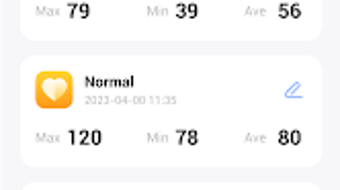
The user interface of Beat Keeper appears to prioritize clarity and simplicity, with a layout focused on displaying heart rate readings in real time. Navigation is expected to be straightforward, likely involving a central display area for the current heart rate, possibly accompanied by status indicators such as resting or active mode. The workflow is likely designed for quick access—users may initiate monitoring with a single tap and view results immediately.
Given the app’s lightweight nature and size, it is expected to launch quickly and operate smoothly under normal conditions. However, exact performance details were not specified by the developer. The app’s behavior in terms of CPU and RAM usage remains unknown, and no stability reports or crash logs have been published.
The developer did not specify resource usage details, so users should expect standard performance patterns typical of lightweight Android applications. Overall, the interface is likely optimized for touch interaction, with intuitive controls suitable for both novice and experienced users.
Compatibility & System Requirements
Beat Keeper is designed for Android devices running version 13.0 or higher. This requirement ensures compatibility with modern hardware and software features, such as improved sensor access and background processing. The app’s installation size is 10.8 MB, which is relatively small and suitable for devices with limited storage.
The developer did not provide additional system requirements, such as minimum RAM or processor specifications. Compatibility information was partially provided, leaving open the possibility of limited support on older or low-end devices. Users should ensure their Android system meets the minimum version requirement before attempting installation.
The app is available exclusively in English, which may affect usability for non-English speakers. No official support for iOS or other platforms was mentioned, confirming its focus on the Android ecosystem.
Pros and Cons
Pros
- Free to download and use with no in-app purchases
- Lightweight design with minimal storage footprint (10.8 MB)
- Designed for Android 13.0 or higher, ensuring compatibility with modern devices
- Simple, intuitive interface suitable for beginners
- Focus on heart rate monitoring for personal wellness tracking
Cons
- Available only in English, limiting accessibility for non-English speakers
- Compatibility restricted to Android 13.0 and above, excluding older devices
- No information on data export, cloud sync, or historical tracking features
- Developer did not provide detailed system requirements beyond OS version
- Limited functionality compared to advanced health monitoring tools
FAQ Section
Is Beat Keeper available for iOS devices?
As of now, Beat Keeper is only available for Android. There is no official information about an iOS version.
Is the app safe to use on my Android device?
Beat Keeper is published on Softonic, a trusted platform for software downloads. However, users should ensure their device’s security settings allow installations from third-party sources if applicable.
How often does Beat Keeper receive updates?
The latest version, 1.1.0, was released on September 17th, 2023. No information on update frequency is currently available.
Does Beat Keeper require an internet connection?
While the app may function offline for basic heart rate monitoring, specific details on online dependencies were not provided by the developer.
Can I use Beat Keeper without creating an account?
Based on available information, the app does not require registration or account creation, allowing for immediate use after installation.
Final Thoughts
Beat Keeper presents a straightforward, no-frills solution for users interested in tracking their heart rate on Android. Its lightweight design, free access, and focus on simplicity make it a viable option for individuals beginning their health and fitness journey. While it lacks advanced features such as data export, long-term tracking, or multi-language support, it fulfills its core purpose effectively for basic monitoring.
The app is best suited for casual users who value accessibility and ease of use over comprehensive analytics. For those with Android 13.0 or higher and an interest in heart rate awareness, Beat Keeper offers a secure, low-commitment way to stay informed. Its limited scope is both a strength and a limitation—ideal for quick checks but not for in-depth health analysis.
Download Beat Keeper now.







